
BJ Bhai Game APK Features, Registration and Android Guide 2026
21 Nov 2026
22MB
V1.0.3
Android 5.0+
2000+
Description
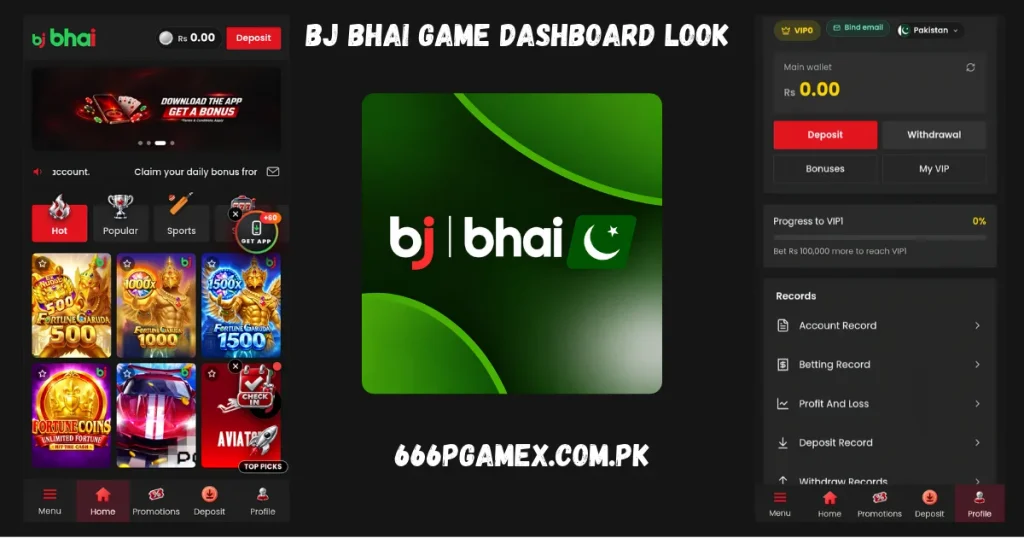
BJ Bhai Game is a browser-based gaming platform with a dark interface, red highlights and a green-and-red logo. Its home page places account controls across the top, game categories in the centre and shortcuts along the left edge. The screenshots show game tiles, account links and support options.
Exploring the Home Screen
On BJ Bhai Game, the header contains Home, Invite friend, Promotions and Profile. On the right are a wallet balance area, Withdrawal and Deposit buttons, a language control and a Pakistan flag icon. The supplied view displays Rs 0.00; that is simply the balance shown in the screenshot.
The home page of BJ Bhai Game arranges its visible categories as Hot, Popular, Sports, Slots, PG, Crash, Table, Instant, Lottery, Arcade and Favourites. Selecting a category is the displayed way to browse its tiles. BJ bahi displays a first row that includes artwork labelled Fortune Garuda, Fortune Coins, Aviator, FlyX and Roulette. These images identify game options, but do not explain their rules, odds or outcomes.
A scrolling notice refers to server-side results and responsible play, while the banner promotes inviting friends. Treat promotional artwork as an announcement, not proof of a guaranteed result. Readers interested in exploring another gaming platform can also read our guide to 666h Game, which covers its interface and available options.
Creating a New Account
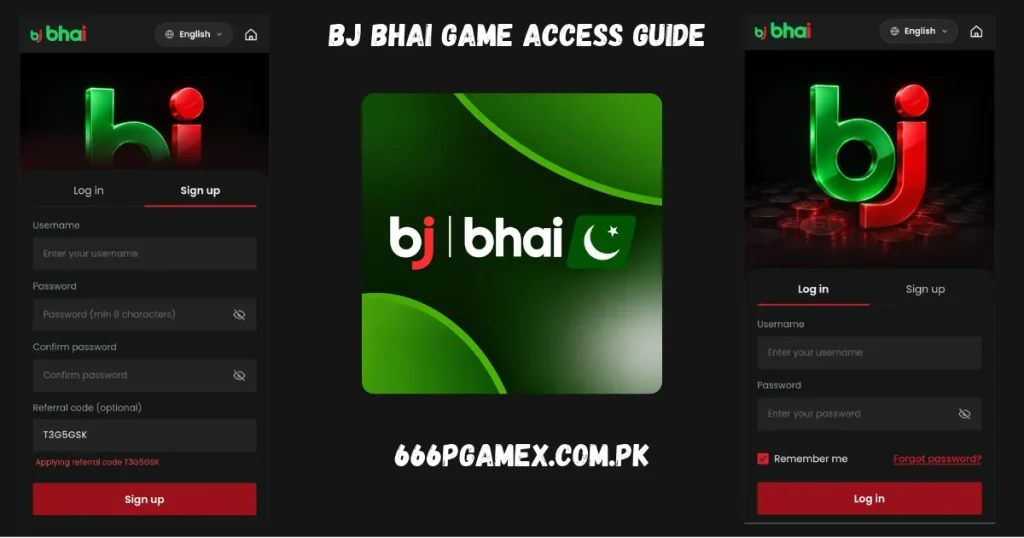
To create an account on BJ Bhai Game, open the registration page and select the Sign up tab. The supplied form contains four fields:
- Username.
- Password, with a minimum of eight characters stated on the form.
- Confirm password.
- Optional referral code.
Choose a username, create a strong password and enter it again in the confirmation field. Review any referral code already present before submitting. On BJ bahi, the screenshot contains a prefilled code, but this does not mean every visitor will receive the same one. Select Sign up after checking the entries and reading the site’s terms and privacy information. Keep your password private.
Login and Account Help
Returning visitors can select Log in on the same account screen. The screenshot shows the Sign up tab, so follow the live page’s login labels and use the credentials created for the account. If access fails, check for typing errors and use BJ Bhai Game support route instead of sharing account details with another person.
The support area of BJ Bhai Game includes an Open conversation option. The contact section displays Message us, Notifications and Deposit problem cards. The message card allows a picture attachment; notifications carry announcements, and the problem card asks for an issue reference. A WhatsApp channel appears under Stay connected. BJ bahi’s side menu also lists Contact us, New Member Guide and Feedback.
Finding the Android App
The side navigation contains an item labelled APP Download with an Android marker. Open that item to view BJ Bhai Game instructions. The screenshots do not show an APK file, download URL, file size, version number or Android requirements, so these details cannot be stated accurately. Before installing, confirm the source, review permissions and avoid files sent through unrelated messages.
BJ bahi’s menu also shows Add to Home Screen. This is a browser shortcut option; it is not the same as installing an APK. BJ bahi visitors should follow the instructions on the page they actually open, rather than relying on a third-party download link.
Account Sections and Responsible Use
The interface lists Deposit, Withdrawal, wallet, transactions and betting records. These labels identify account areas, but the screenshots do not explain fees, processing times or eligibility. Read the terms and local rules before using payment features. Gaming can involve financial loss; set limits and do not rely on results or promotions.
BJ Bhai Game should be approached with an understanding of the risks as well as the interface. Support links provide contact routes, not a substitute for reviewing the service’s terms.
Pros and Cons of BJ Bhai Game
| Pros | Cons |
|---|---|
| Dark interface with clearly arranged categories | Detailed game rules are not explained on the home screen |
| Separate sections for account and support options | APK size and version details are not displayed |
| Registration form includes an optional referral field | iOS availability is not shown |
| Multiple game categories are accessible from one page | Promotion conditions require further review |
| Contact options include messages and notifications | Payment fees and processing times are not specified |
Frequently Asked Questions
The provided interface shows an Android download option, but it does not display an iOS application or iPhone compatibility details.
A globe icon appears in the top navigation bar. The available languages and language-changing instructions are not displayed in the supplied interface.
Age requirements are not visible in the screenshots. Visitors should read the platform’s terms and follow the legal age requirements applicable in their location.
The displayed account sections include payment-related options, but no transaction fee schedule appears in the supplied material. Review the applicable terms before making a transaction.
The home page includes a Promotions section, but the screenshots do not explain whether multiple offers can be used together. Individual promotion terms provide the relevant conditions.
Conclusion
Overall, BJ Bhai Game brings category browsing, account controls and support links together in a dark-themed interface. The screenshots provide an overview of the home page, registration form and contact options, while leaving technical download details and service conditions unanswered. Check the live page for current instructions, protect your login details and make an informed choice before using BJ Bhai Game.
Download links
How to install BJ Bhai Game APK Features, Registration and Android Guide 2026 APK?
1. Tap the downloaded BJ Bhai Game APK Features, Registration and Android Guide 2026 APK file.
2. Touch install.
3. Follow the steps on the screen.